Welcome! Photoshop can be a very intimidating program when you don't know where to begin... I created this blog to hopefully help people who need a basic starting point for their editing workflow. These tutorials were created in Photoshop CS3 but Elements users should be able to follow them as well. I hope they are helpful! :c)
Tuesday, October 16, 2007
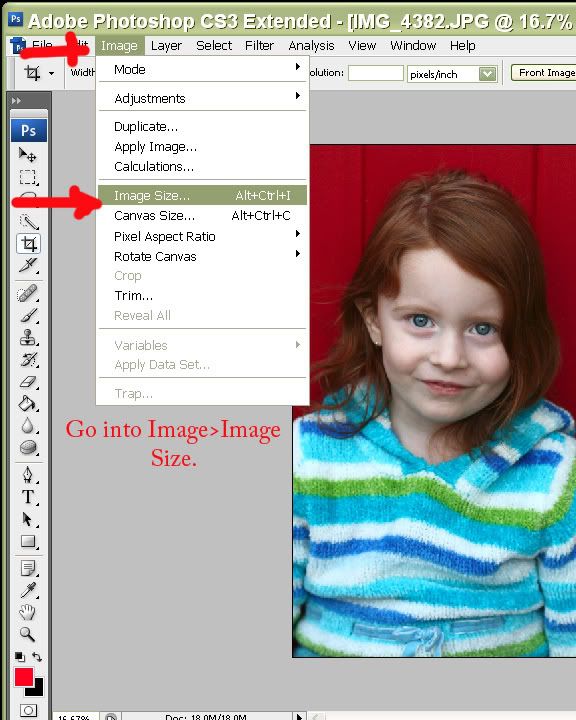
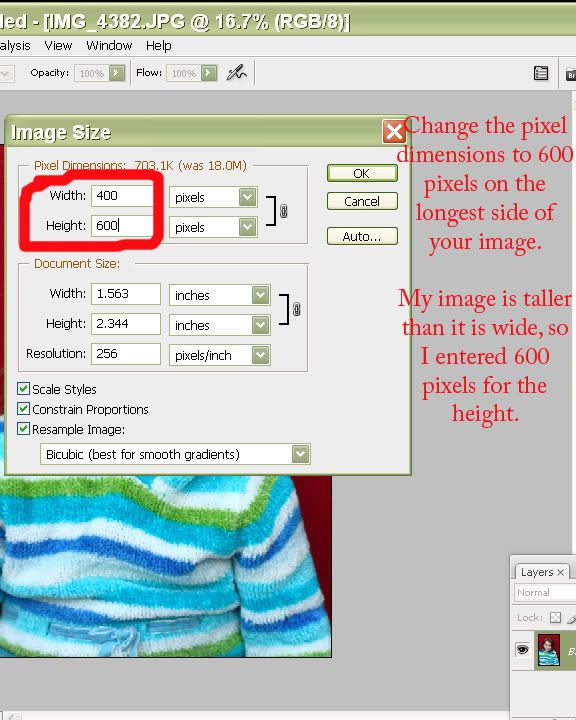
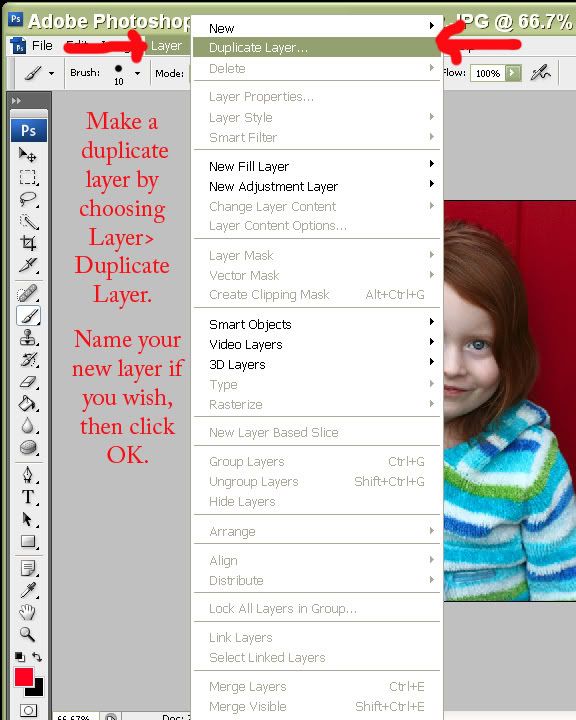
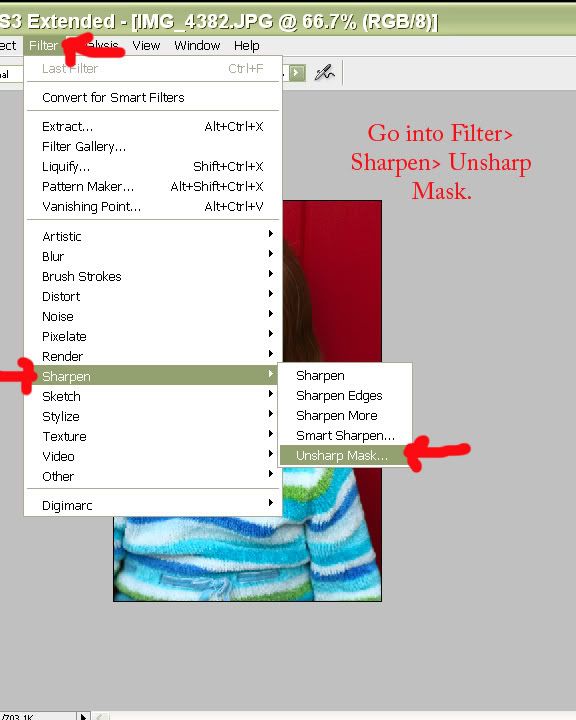
A basic resize and sharpen for web tutorial
2 comments:
Anonymous
said...
The first thing you want to do is get the image so that it's 800 pixels on the longest side. The easiest way to do this is using Photoshop's Fit Image tool. In CS3 this can be found by clicking on File... Automate... Fit Image. A small box will pop up saying "Constrain Within" and listing 2 boxes, Width and Height. Simply type in "800" in both boxes and click OK. Your image will be re-sized to 800 pixels on the longest side.

2 comments:
The first thing you want to do is get the image so that it's 800 pixels on the longest side. The easiest way to do this is using Photoshop's Fit Image tool. In CS3 this can be found by clicking on File... Automate... Fit Image. A small box will pop up saying "Constrain Within" and listing 2 boxes, Width and Height. Simply type in "800" in both boxes and click OK. Your image will be re-sized to 800 pixels on the longest side.
social media melbourne
@@@ Indian Adult Porn Photo Blog @@@
@@@ Desi Aunties Naked Pictures @@@
@@@ Bollywood Actress Nude Photo Album @@@
@@@ Mallu Hot Indian Naked Aunty Pics @@@
@@@ Sexy Pakistani Girls Wallpapers @@@
@@@ Indian College Girls Pictures @@@
@@@ Hot Indian School Girls Photos @@@
@@@ Nude Busty Desi Aunties Boobs @@@
@@@ Hottest Bhabhi Hairy Pussy Gallery @@@
@@@ Desi College Girls Hidden Camera Nude Photo @@@
@@@ Indian Adult Porn Photo Blog @@@
@@@ Desi Aunties Naked Pictures @@@
@@@ Bollywood Actress Nude Photo Album @@@
@@@ Mallu Hot Indian Naked Aunty Pics @@@
@@@ Sexy Pakistani Girls Wallpapers @@@
@@@ Indian College Girls Pictures @@@
Post a Comment